WordPress and WooCommerce, built lean, kept current
Custom WordPress builds, WooCommerce stores that take payments reliably, speed and Core Web Vitals work, security hardening and ongoing maintenance — from the engineering team that ran a live B2B WooCommerce platform through a payment-gateway untangling and a security incident. We are a Craft CMS Verified Partner too, which is why our advice on whether to stay on WordPress is not a sales pitch.
How we work on WordPress
Fewer plugins, more code you own.
Every plugin is a release cycle you do not control. When a feature is core to the business, we build it into the theme or a small custom plugin; when a plugin earns its keep, it stays. The WooCommerce store in our free audit example ran 55 active plugins, with another 32 disabled but still on the server.
See the free website audit →Updates are a process, not a hope.
Staging, Git, a tested backup and a rollback path first; then core, plugins and PHP move forward on a schedule. WordPress core patches itself — the plugin layer is the part that needs an owner.
The checkout is the business.
On WooCommerce we start where the money moves: gateways, tax, refunds and the mobile checkout. For Stratus Infosystems that meant untangling eight simultaneous payment gateways across two currencies while the store kept taking orders.
We say when WordPress is the right answer.
We are a Craft CMS Verified Partner and we build on Shopify too, so “stay on WordPress” is advice we can give without losing a sale. The four cases where it is the right call are in our comparison.
Craft CMS vs WordPress: an honest comparison →When it is time to move, we do that too.
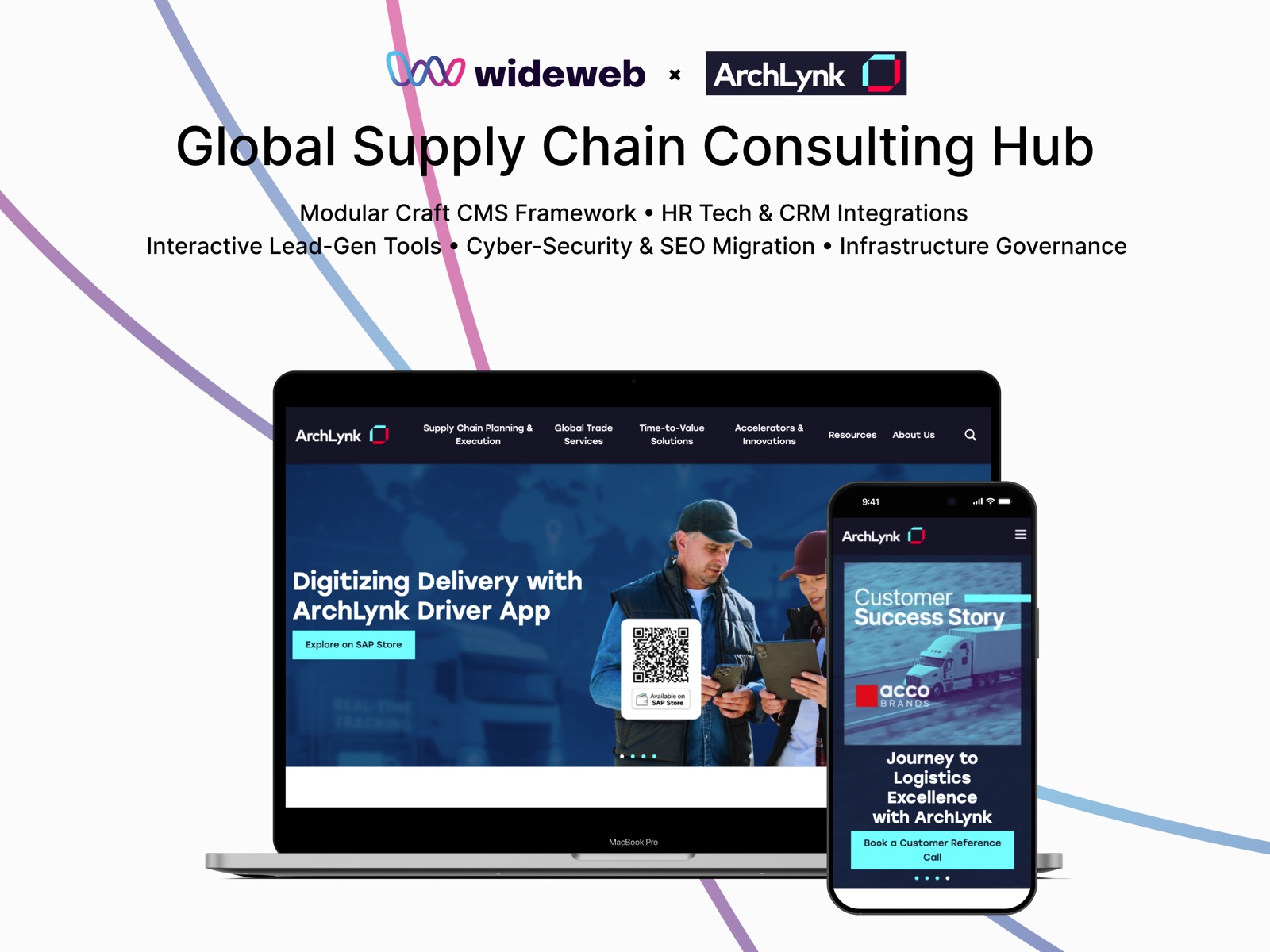
We migrate WordPress sites to Craft CMS — ArchLynk consolidated three legacy WordPress properties into one platform — and WooCommerce stores to Shopify, with the same redirect and data discipline either way.
Craft CMS development and migrations →Does your WordPress site need attention?
Tick what sounds familiar. Two or more and it is worth an audit — most of these are fixable without a rebuild.
- 01
Audit
Plugins, theme, hosting, PHP version, real-user speed data and access. You get findings ranked by severity and an honest rebuild-or-fix verdict.
- 02
Stabilize
Backups that restore, Git and a staging site, credentials rotated, the update backlog cleared in a safe order.
- 03
Lean down
Remove what earns nothing, replace what can be a few lines of code you own, and fix the slow paths first: checkout, forms, templates.
- 04
Keep current
Core, plugins and PHP updated on a schedule with a rollback path — or handed to your own team with the runbook.
What we work with on WordPress
One line each, all from production work.
- WooCommerce
- Catalog, cart, checkout and product pages, with hardware-to-license compatibility logic and SKU bundling on the Stratus Infosystems store.
- Payments
- Stripe across two national entities, payment links, card authorisation, eCheck/ACH and stable USD/CAD pricing.
- Tax & accounting
- TaxJar reconciled against QuickBooks, including multi-jurisdiction cases such as Canadian GST/PST splits.
- CRM & analytics
- Zoho CRM order sync with custom-field mapping, plus GA4, Meta Pixel, Make.com and Zoho Analytics.
- Search
- Site search rebuilt on MongoDB Atlas — autocomplete, typo correction and synonym handling — when the built-in search is not enough.
- Infrastructure
- Git, Laravel Forge for production, DigitalOcean storage and CDN, Cloudflare in front.
- Headless WordPress
- WordPress as the content back end behind a custom front end, when the theme layer is the bottleneck.
- Craft CMS bridges
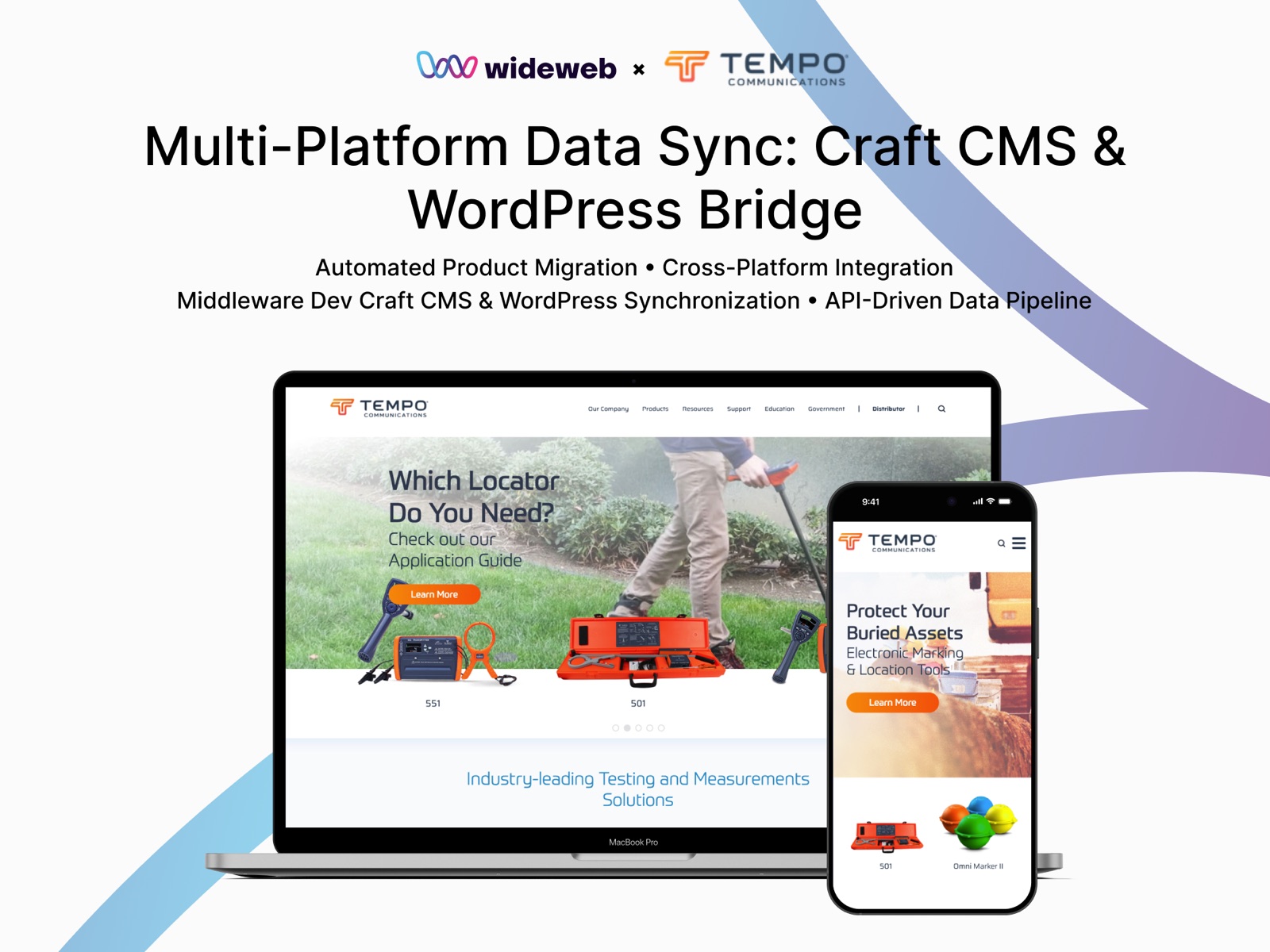
- A WordPress storefront kept in sync from Craft CMS as the single source of truth — the Tempo architecture.
WordPress in 2026 — what an owner should know
Sourced from W3Techs, Patchstack and WordPress.org — including the parts plugin vendors skip.
The scale argument is real
WordPress runs 38.4% of all websites and 57.3% of those with a known CMS (W3Techs, November 2026). Platform risk is not the question, and neither is finding someone who knows it. What varies is how well a given site is built and kept.
Core is not where sites get hacked
Patchstack counted 11,334 new vulnerabilities in the WordPress ecosystem in 2025: 91% in plugins, 9% in themes, and 6 low-priority ones in core. 46% had no fix from the developer when they were disclosed. The plugin list is the attack surface, so that is where maintenance goes.
The security numbers for WordPress and Craft CMS, side by side →Core updates itself — and 2026 showed why
WordPress installs minor and security releases automatically. Between 17 September and 18 November 2026 that meant five point releases carrying security fixes, one of them for a critical issue. A site with auto-updates switched off because a plugin might break misses exactly these.
Old PHP is still allowed, and still a risk
WordPress recommends PHP 8.3 or newer and still runs on PHP 7.4, which is end of life. That tolerance keeps old sites alive on old servers. Moving PHP forward is usually one of the cheapest speed and security wins on the list.
Speed is lost one install at a time
Elementor alone is on about 31% of WordPress sites (W3Techs), and a page builder ships its CSS and JavaScript on every URL. Google scores Core Web Vitals from real Chrome users, so the fix is measured in the field, not in a Lighthouse run.
Core Web Vitals guide →WordPress 7 brought AI into core
WordPress 7.0 (May 2026) added an AI client in core, a Connectors screen for AI providers and a dashboard-wide command palette. AI features get cheaper to add, and a site gains one more set of credentials to govern.
AI automation & integration →Sources: W3Techs WordPress usage · Patchstack: State of WordPress Security in 2026 · WordPress.org releases · WordPress.org requirements · WordPress 7.0 announcement
WordPress and WooCommerce work we can show
Three slices of production work. The full case studies cover the rest of each engagement.
A live B2B WooCommerce store, stabilised
For Stratus Infosystems, a Cisco Meraki reseller, we untangled a conflict across eight simultaneous payment gateways — mismatched payment IDs, failed refunds, unreliable captures — hardened Stripe across both national entities and stabilised USD/CAD pricing, while the store kept taking orders.
Stratus Infosystems case studyIncident response on a compromised store
On the same platform we traced a web shell and a persistent backdoor, removed more than a hundred rogue admin accounts, rotated every secret and delivered a NIST SP 800-61-style incident report — then introduced Git and moved production to Laravel Forge behind Cloudflare.
Stratus Infosystems case studyA WordPress storefront synced from Craft CMS
For Tempo we built a bi-directional bridge between Craft CMS and WordPress: product attributes and inventory levels flow from Craft CMS, the single source of truth, to the WordPress storefront automatically.
Tempo case studyWordPress work we can show

Honest answers
Do you build new WordPress sites, or only fix existing ones?
Both. New builds are custom themes with a short plugin list and the content model kept in code; existing sites start with an audit and a prioritized fix list. Landing pages and campaign sites are routine work: one UK agency client said a WordPress landing-page build let them “launch our campaigns ahead of schedule”.
Should we stay on WordPress or migrate?
Stay when the workflow depends on specific WordPress plugins, when a non-technical owner runs the site alone, when the budget is tight and the site is simple, or when a standard WooCommerce store is the business. Move when content has outgrown posts and meta fields, when several editors, sites or languages are involved, or when the plugin layer costs more to maintain than a rebuild would. We migrate in both directions and say which way yours should go.
Our site was hacked. What happens first?
Containment before cleanup: find the entry point and any backdoor, remove rogue accounts, rotate every credential, lock down server access. Then a written incident report and a clean-rebuild plan. That is the sequence we ran on a compromised production WooCommerce store, documented in a NIST SP 800-61-style report.
How many plugins is too many?
There is no hard limit, but in our audits a healthy range is 15 to 25 active plugins, and every one should have a named reason to exist. The count matters less than the upkeep: 91% of new WordPress vulnerabilities in 2025 were in plugins, and 46% had no fix when they were disclosed (Patchstack).
WooCommerce or Shopify?
WooCommerce when you want to own the stack, need deep customisation or already run WordPress; Shopify when you would rather not run servers and the catalog is standard. We build on both, and on Craft Commerce for content-heavy catalogs, so the recommendation is not tied to one platform.
Can you take over a site another developer built?
Yes. We map what exists — the repository or the lack of one, hosting, plugins, custom code, who holds which credentials — and price the unknowns in an audit before you commit to anything. If there is no Git or staging, setting them up is step one.
Do you offer ongoing maintenance?
Yes: core, plugin and PHP updates on a schedule, monitoring, backups that are restore-tested, and a developer who already knows the site when something breaks. 83% of our clients place repeat orders.
Can you work white-label for our agency?
Yes. WordPress is one of the stacks we cover as a background team for agencies: your client, your name, our code — by spec and under NDA.
WordPress site slow, fragile or overdue for updates?
Send the URL — we will tell you honestly what to fix first, and whether a rebuild is even needed.
Get in touchNot sure where the problem is? Free website audit.
Or explore all services.